Active Phase Guide
Your cycle is live. Here's how to track goals, use the coach, log data, and make the most of your active phase.
The Active Phase
The active phase is where WellPath earns its keep. Your goals are live, your WellPath Score is calculating, Chiron is watching your data, and every day of tracking compounds into your health trajectory.
A typical active cycle runs 8–12 weeks. During that time, the app centers around your Goals tab, which shows your weekly progress across all goals and surfaces coaching content from Chiron. Your score updates as behavior, biomarker, and biometric data comes in.
Goals Tab
your main home screen — progress, arc, coaching, challenges
Daily Tracking
Apple Health syncs automatically; manual entries via Quick Add
Chiron Engagement
daily briefs, tips, check-ins, challenges, and nudges
Score Evolution
watch your WellPath Score improve as data accumulates
The Goals Tab
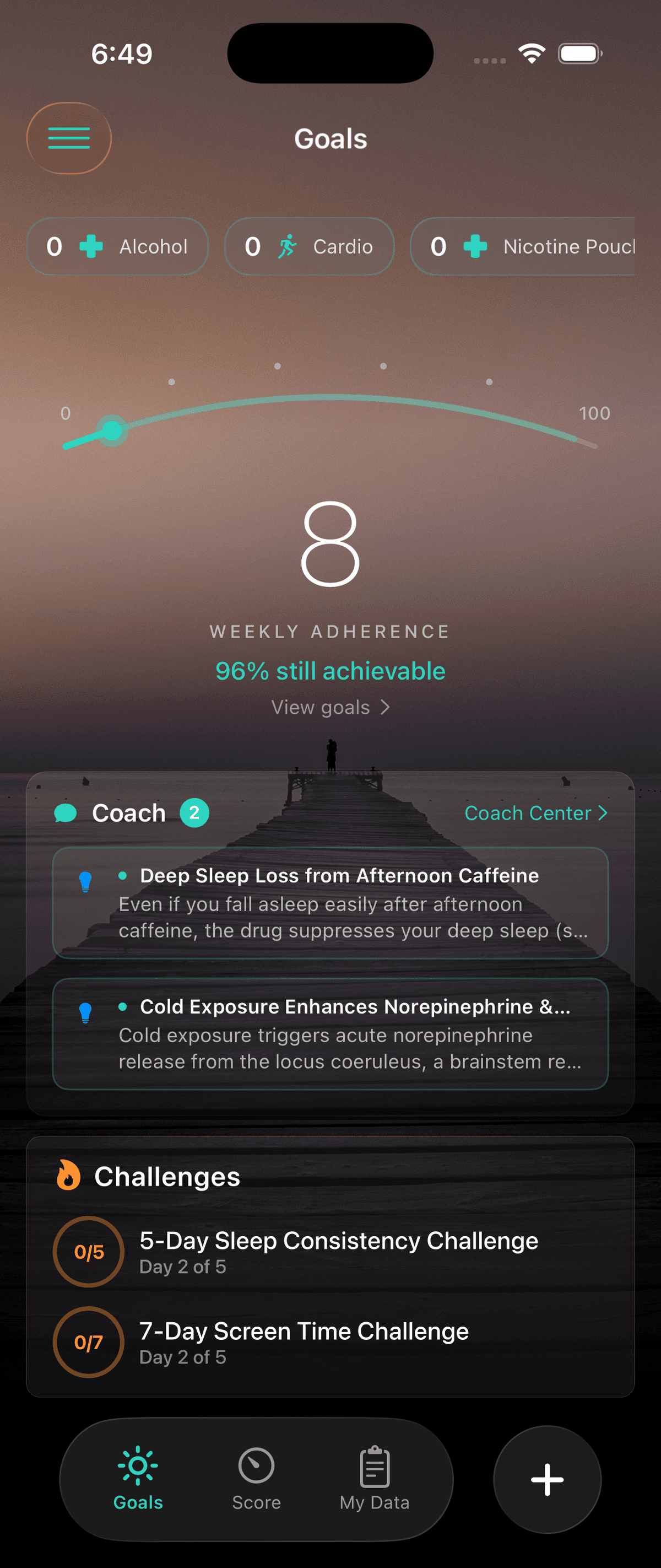
The Goals tab is your default landing screen during the active phase. It's designed to give you a complete picture of the current week at a glance — what you've done, what's left, and what Chiron wants you to focus on.
Goals Overview
The top of the Goals tab shows your weekly adherence arc and a summary of your active goals. Below that, each goal is a tappable card.
Logging Your Data
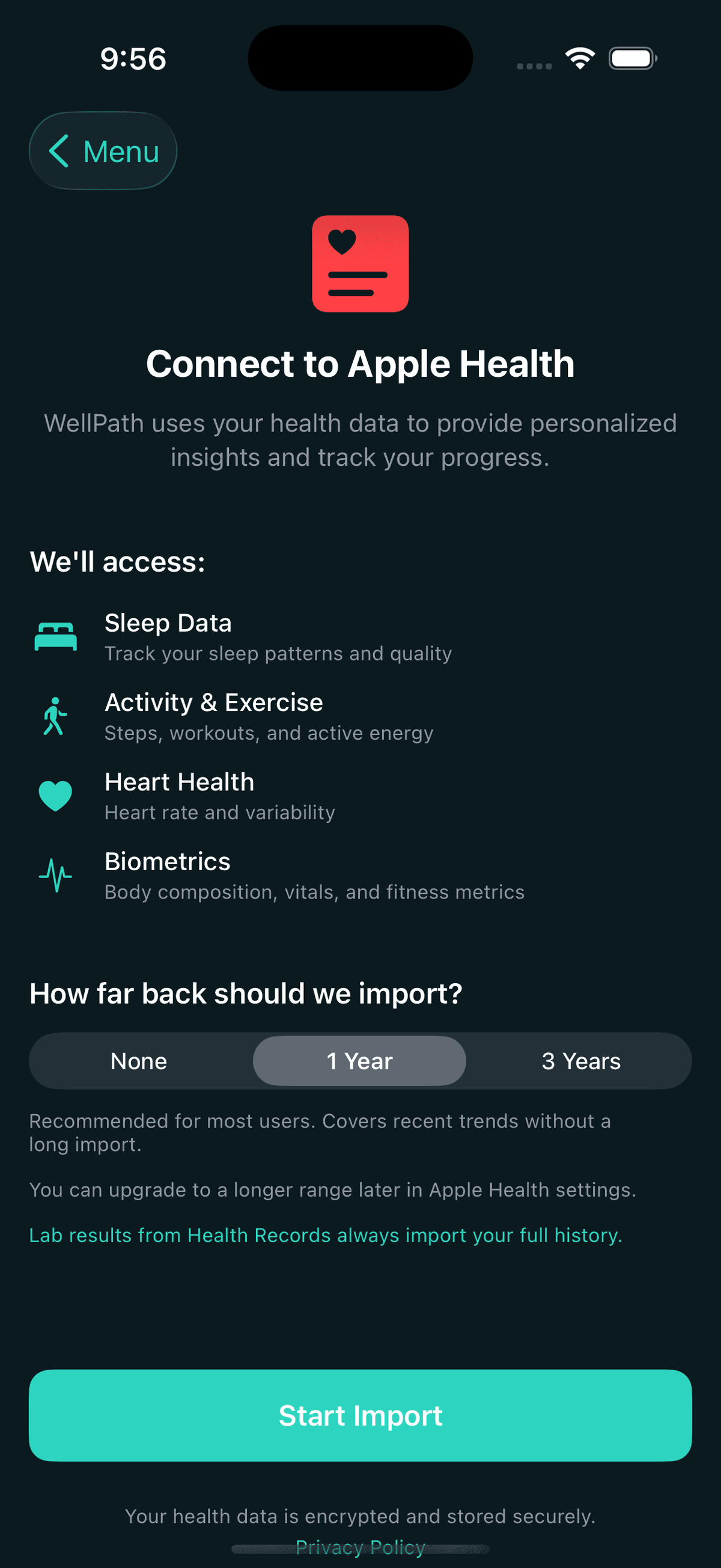
WellPath scoring depends on your data. Apple Health handles most of it automatically — steps, workouts, sleep, heart rate, and more. For nutrition and manual entries, you use the app directly.
Apple Health Sync
Apple Health sync should already be configured from onboarding. If it's not, or if you need to re-authorize, go to Side Menu → Preferences → Apple Health.
Data that syncs automatically:
If your step goal isn't updating, check that WellPath has permission to read Steps in iOS Settings → Privacy & Security → Health → WellPath.
Working with Chiron
Chiron is active during your cycle, watching your data and generating content to help you stay on track. The Coach section on the Goals tab is its main output, but Chiron shows up in several places.
Daily Briefs
Each morning Chiron generates a brief for you — a short summary of where you stand this week, what to focus on today, and a motivational or educational note based on your current goals. Appears at the top of the Coach section on the Goals tab.
Engagement Preferences
Control how often Chiron contacts you and what kind of content you receive. Go to Side Menu → Preferences → Engagement to set your preferred frequency (daily, a few times a week, weekly) and toggle push notifications.
Info Buttons Throughout the App
Almost every view in WellPath has an info (ℹ) button in the navigation bar. Tapping it opens a Chiron-powered explanation with full context about what you're looking at — ranges, scoring logic, what it means for you.
Chat Anytime
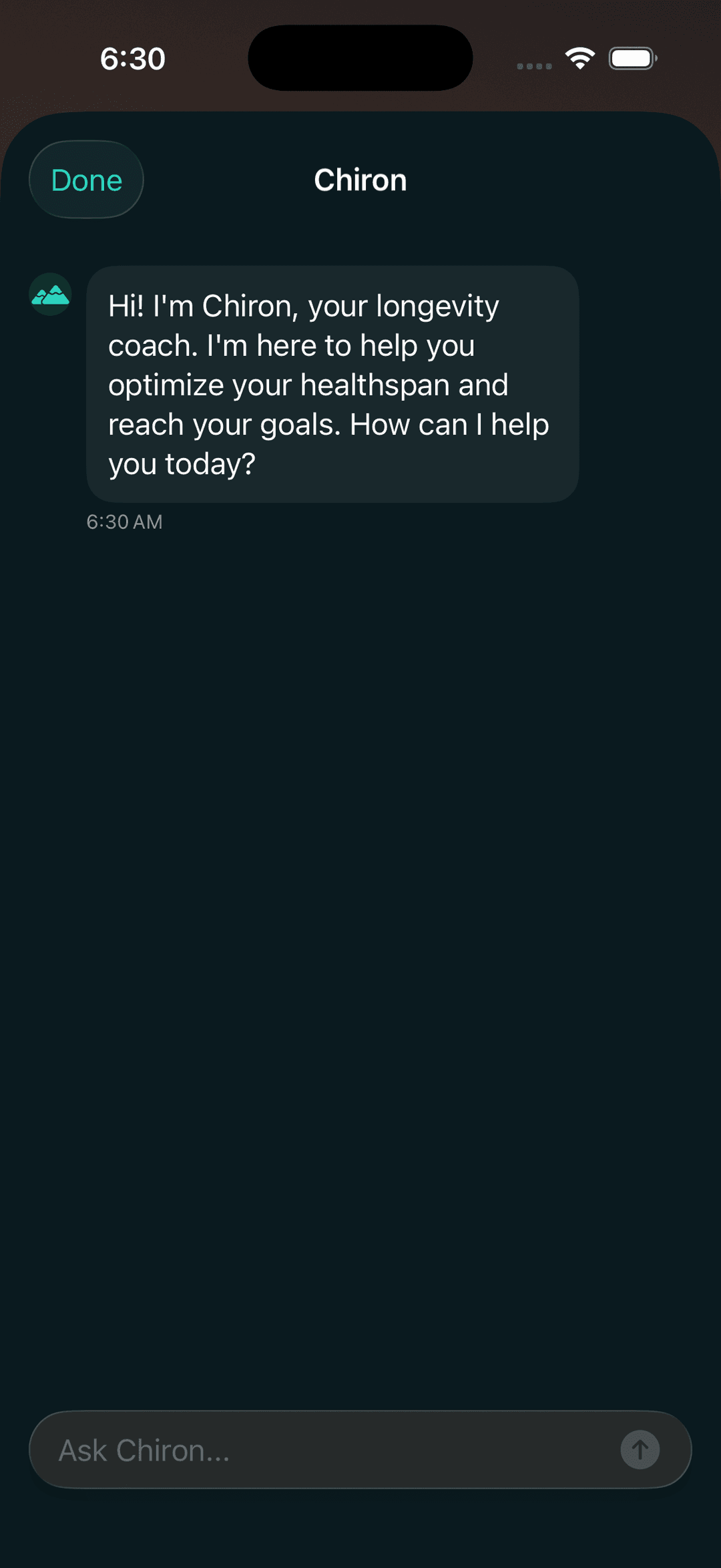
The chat icon in the top right of the + panel, or Side Menu → Chat with Coach, gives you open conversational access to Chiron. Ask anything — food questions, goal questions, how your score is calculated, what a biomarker means.
Chat with Chiron from anywhere in the app
Challenges
Challenges are short-term goal pushes generated by Chiron based on your progress patterns. They're designed to keep you from plateauing and to introduce micro-improvements that compound over time.
Types of Challenges
Chiron generates three types of challenges based on your goal data:
Your Score Over Time
Your WellPath Score evolves throughout the active phase as new data flows in. Understanding what moves it helps you focus your energy on what matters most.
Score Tab
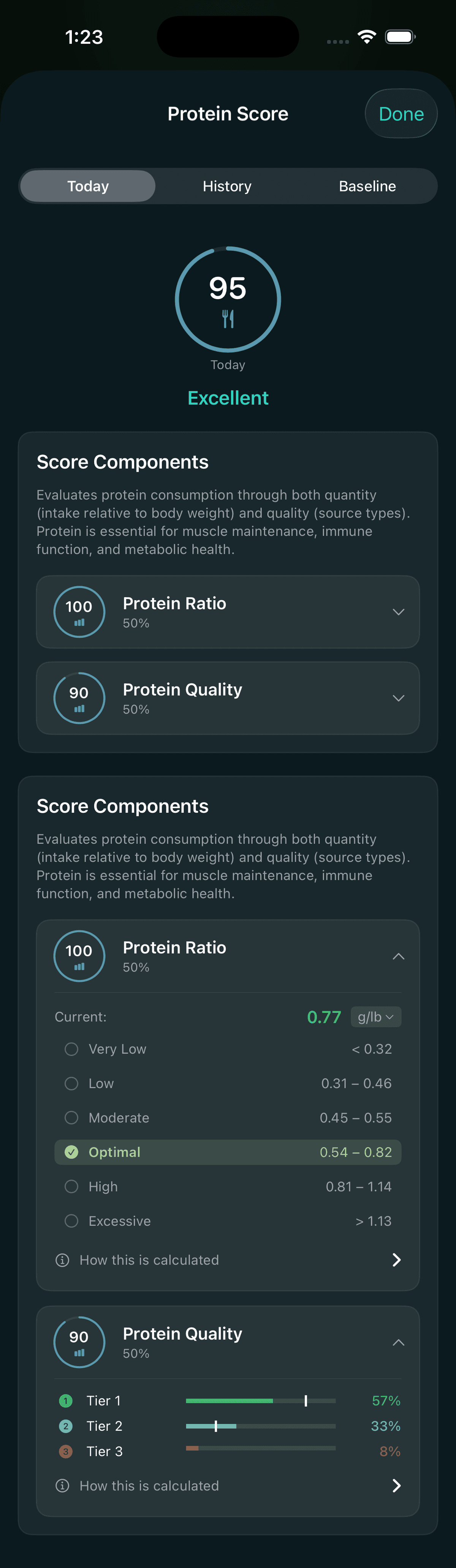
The Score tab shows your current WellPath Score, the trend over your selected time period, and your pillar breakdown cards.
Learn & Education Score
Reading health articles in WellPath isn't just informational — it contributes to your Education score, which feeds into your WellPath Score. The Learn section has 300+ articles organized by pillar.
How to Access Learn
Side Menu → Learn. Articles are organized by health pillar and topic. Your clinician may also assign specific readings tied to your goals — these appear in a pinned "Assigned Reading" section.
Education Score
Each pillar has an Education component that scores your reading progress. Articles that your clinician marks as required for your cycle count toward your Education score. Reading them moves your pillar score upward.
Chiron in Learn
Every article has a "Chat about this" option that opens Chiron with the article in context. Ask clarifying questions, get connections to your specific data, or explore a topic further.
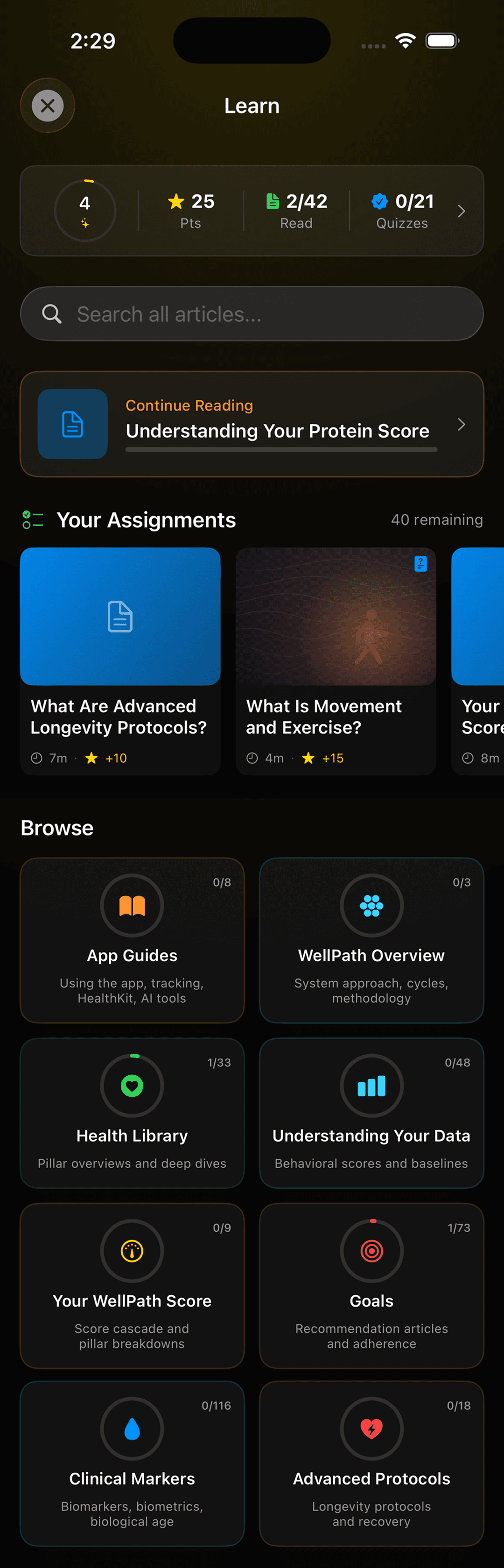
Learn organizes 300+ articles by health pillar
Getting the Most from Your Active Phase
A few practices that consistently correlate with better outcomes in the active phase:
Let Apple Health do the heavy lifting
Steps, workouts, sleep, and heart rate sync automatically. The less you have to manually log, the more consistently it happens. Make sure Health permissions are fully granted.
Log food daily, not in bulk
Chiron's nutrition scoring is most accurate when you log meals close to when you eat them. End-of-day catch-ups tend to undercount. Even approximate logging beats no logging.
Read your daily brief
Chiron's daily briefs are short — 30 seconds to read. They surface the highest-leverage thing you can do that day based on your current week's data. Over a cycle, acting on briefs compounds significantly.
Don't dismiss challenges reflexively
Challenges feel like extra work, but they're targeted to where your data shows the most room for gain. Completing one challenge typically produces more score movement than a week of steady-state tracking.
Read assigned articles early
Education score counts toward your pillar scores. Assigned readings are usually chosen because they're directly relevant to your goals. Reading them in week 1 or 2 means the score contribution builds throughout the cycle.
Focus on trend, not individual days
One missed day doesn't tank your score. One missed month might. The weekly adherence arc on the Goals tab is the right signal to watch — not individual day readouts. Bad days happen; bad weeks are avoidable.
End of Cycle
When your cycle ends, WellPath generates a retrospective — a review of your goal performance, score trajectory, and highlights from Chiron. Your clinician reviews this with you as part of the cycle review, and it informs the goal setting for your next cycle. Cycle 2+ uses a lighter checkpoint instead of full onboarding — most of your baselines carry forward automatically from your tracked data.